VeBest Icon Groups - Free Desktop enhancement software
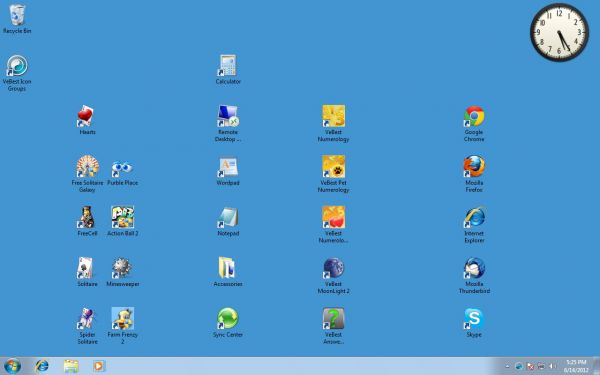
Windows Desktop before VeBest Icon Groups usage
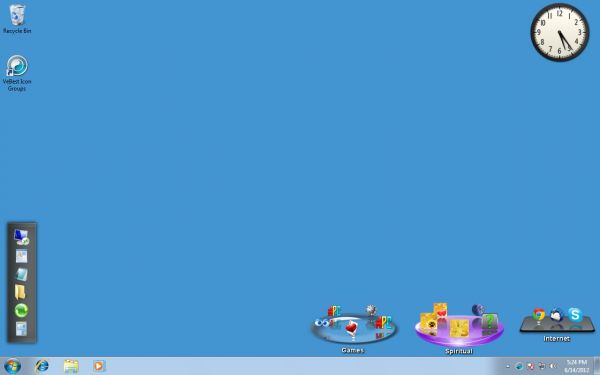
Windows Desktop after icons organizing
VeBest Icon Groups review
VeBest Icon Groups is a free, powerful, but easy to use and rich in animation utility. It has an up-to-date and fantabulous graphical interface. You will get used to working with the software in no time and soon you won't be able to live without it!
VeBest Icon Groups is a free software, intended for just creative and occupied people who extremely value every spare minute and who don't want to search for the icon to launch the desired software or open the needed document.
Best Icon Groups is an impressive, icon enhancement tool, which lets you make many funny things for your windows desktop icons. It provides you with a possibility to animate organize your desktop icons and lets you reach your favorite application within seconds.
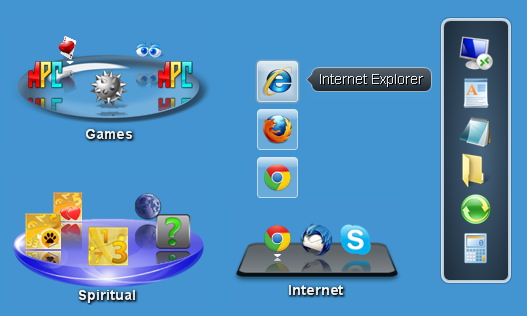
VeBest Icon Groups will create an unlimited quantity of icon schemes for your desktop. Each user can then have his/her own arrangement. This very arrangement can be circular or lineal.
VeBest Icon Groups enables you to create as many icon groups as you want. Possible categorizing of the created groups will provide you with time-saving and pleasant experience while working on the computer.
You won't have to save and restore the icon positions on the desktop.
Besides, all color options can be customized.
Creating one or some icon schemes just once and forgetting about wasting your time and eyesight on finding the icon you want forever!
You can even rest ascertain that the icon you want is always in its place disregarding if your kids play with the computer, even if another operating system crash occurs.
List of features:
- Free Desktop icons management and space economy;
- Circular and linear groups;
- Icon stacks;
- Selectable themes and colors;
- Scroll and icon activation animations;
- Ability to work with Folders;
- Horizontal and Vertical Layouts;
- Named groups.
Languages:
English, German, French
System requirements:
- Windows 8/7/Vista/XP (32/64);